Run With Me Seoul · the app
An offline run tracker built around the route, not the feed.
Run tracking in the Run With Me Seoul app records your run by GPS and guides you along a route at the same time. It follows a line you drew or imported, calls the turns out loud, shows the taps and toilets coming up, and keeps going under a bridge with no signal.
Free. iOS and Android.
- Trust the number
- distance, pace and splits, tuned against a GPS watch
- Your front door
- stays off the picture when you share a run
- 0
- subscription, and no public feed
How run tracking works.
01
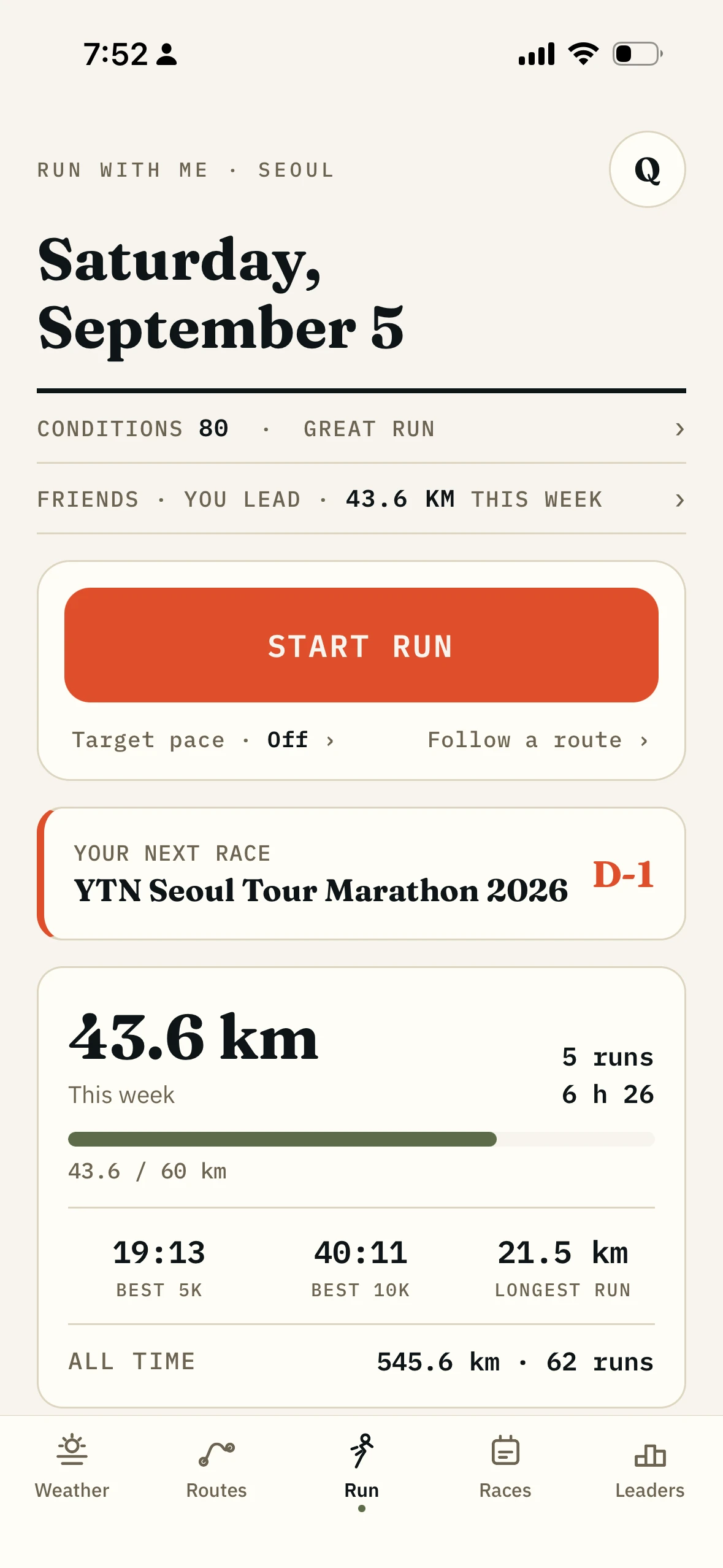
Start a free run, or start a route.
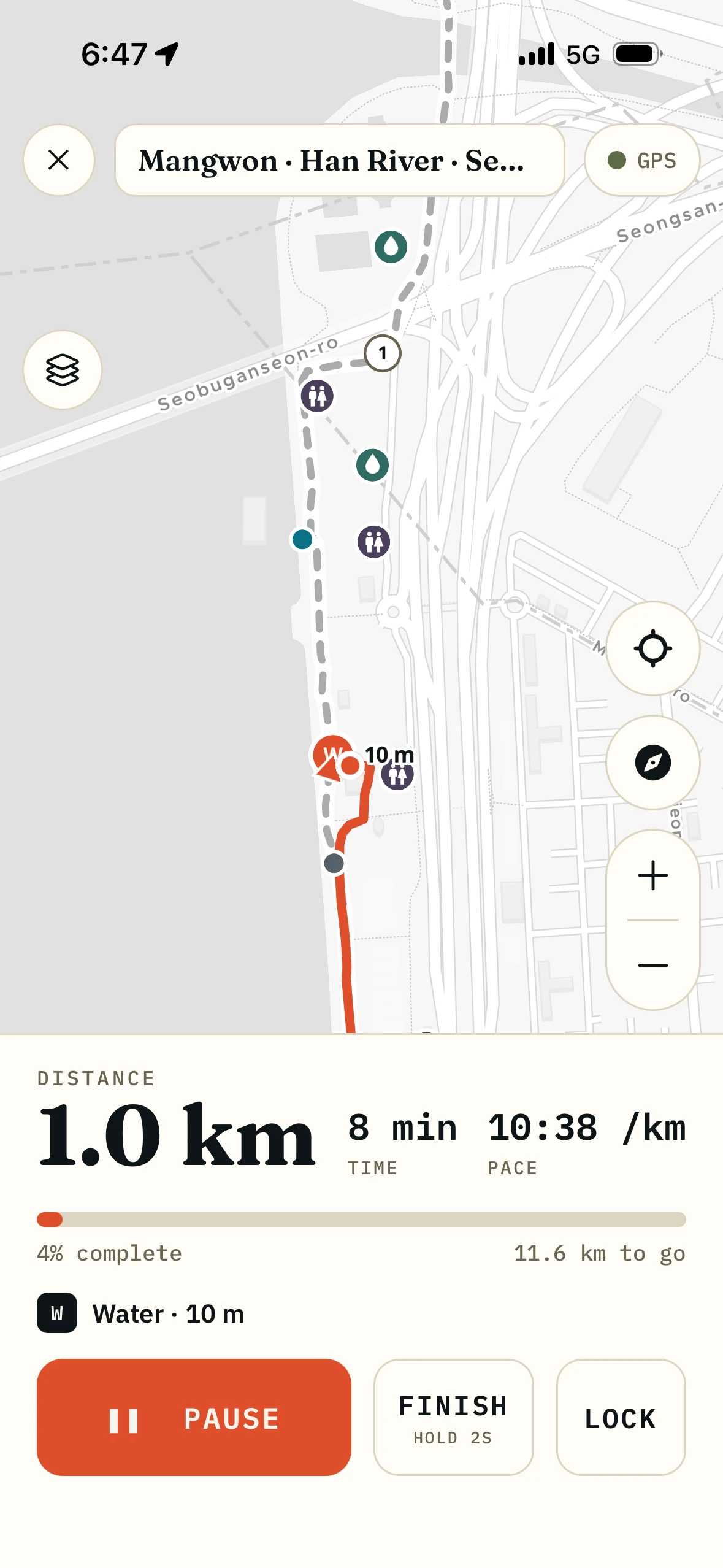
A free run just records. A route run records and guides: the line sits under you on the map, with the part you have covered filled in behind.
02
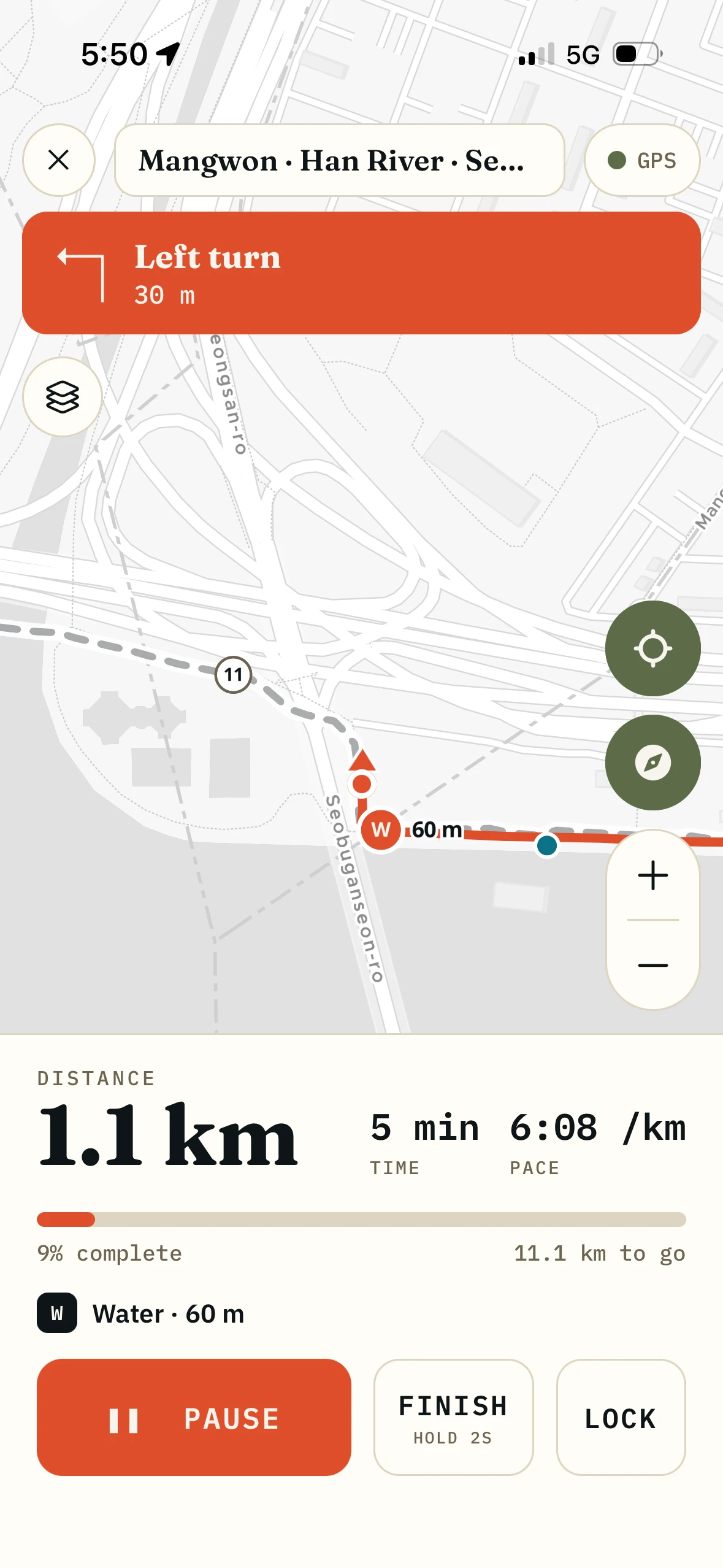
It calls the turns so you can look at Seoul instead.
Turn cues and kilometre splits are spoken out loud when you want them, ducking your music rather than fighting it. A sharp corner buzzes differently from a gentle one, so you never hold the phone.
03
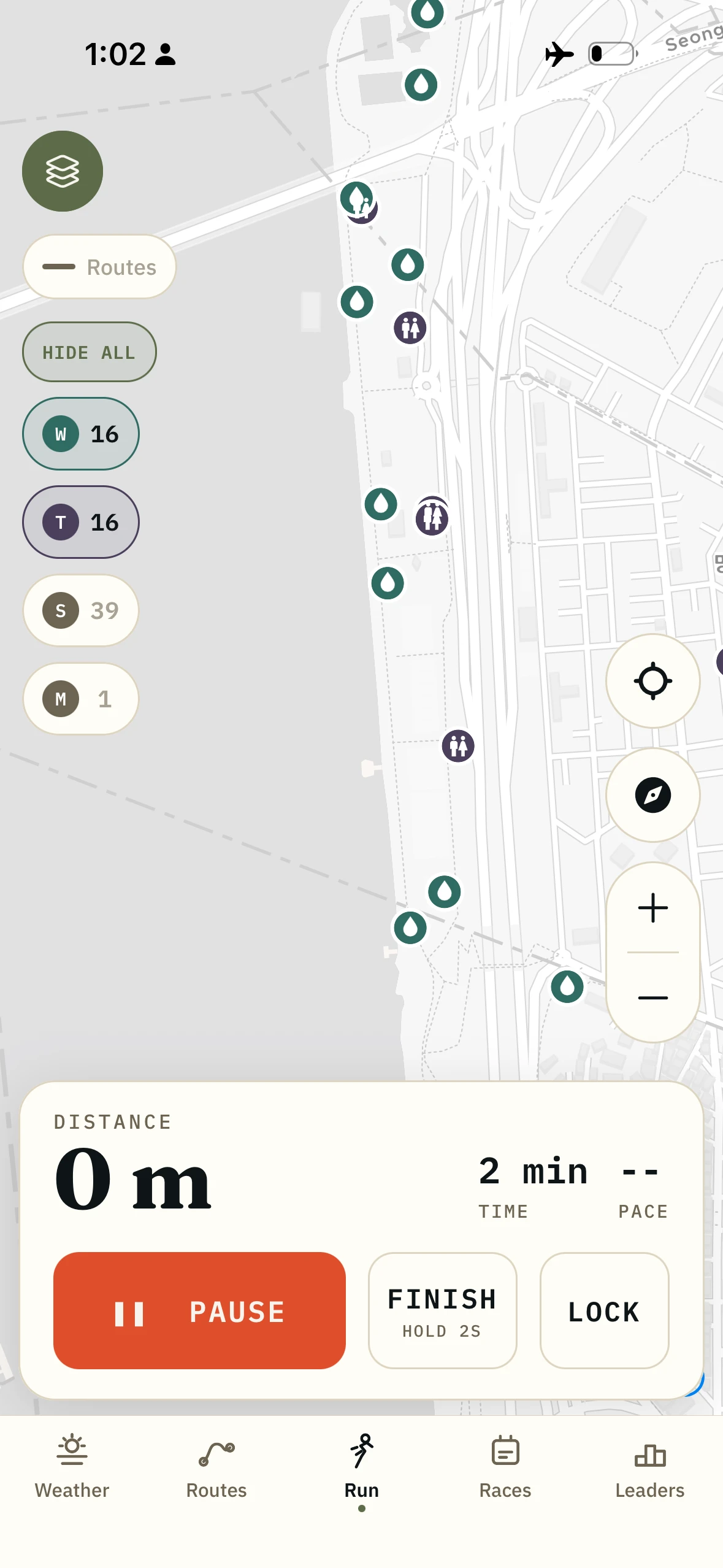
Signal drops and nothing happens.
GPS is not the internet. The route, the map pack and the places are already on the phone, so an underpass or a dead spot at the far end of the river costs you nothing.
04
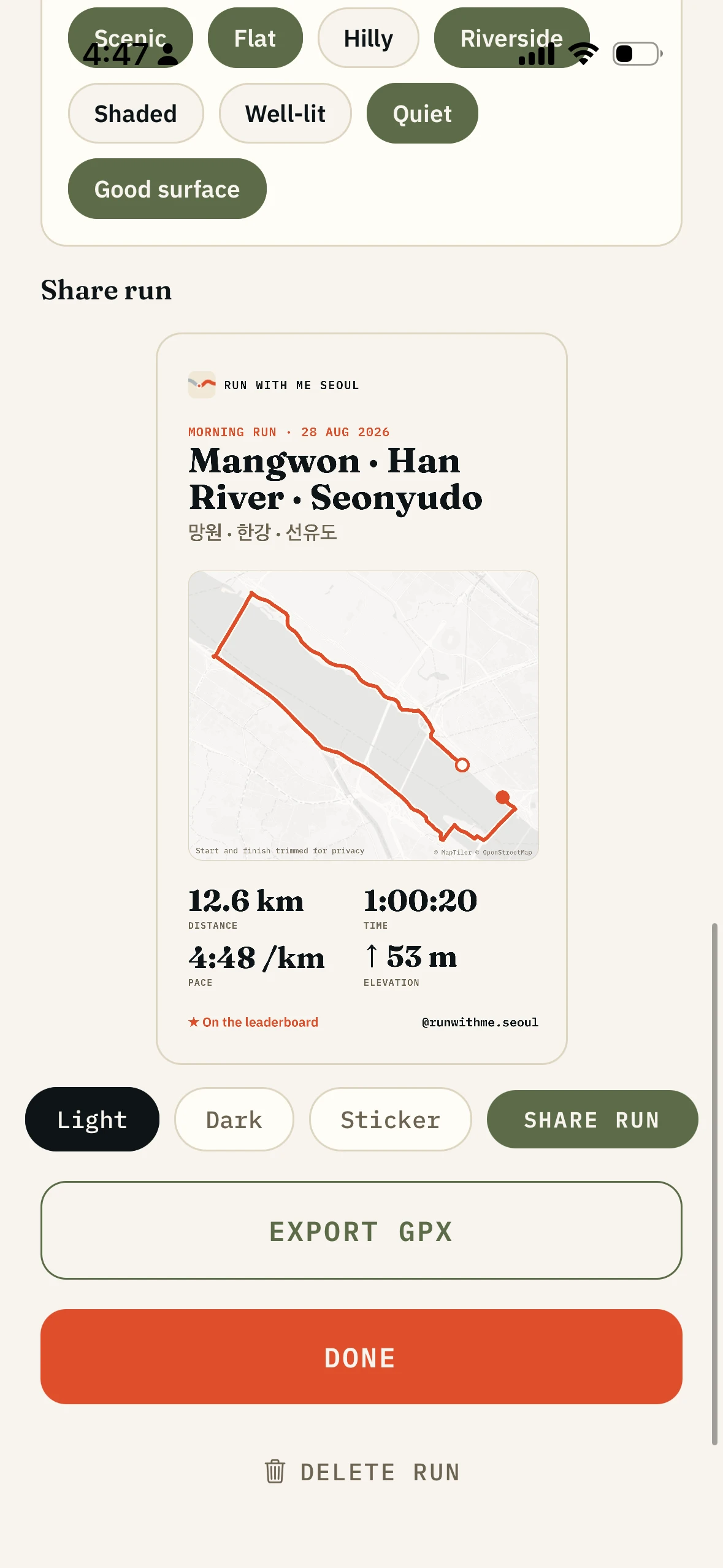
Share the run without sharing your address.
Nothing is posted anywhere. Sharing is a card you make on purpose, and it drops the first and last 200 metres. Most people start and finish at home, and most run apps publish it.
What it records.
- Records
- Distance, time, current and average pace, splits, elevation gain, the track
- Distance accuracy
- Tuned against a GPS watch on the same runs, and re-checked whenever the tracker changes
- Route guidance
- Turn by turn on any saved route, with spoken cues and haptics
- Screen off
- Yes, with background location allowed, so the phone stays in a pocket
- Offline
- Recording, guidance and the amenity map work with no signal. Download the Seoul map pack once for the basemap
- Import
- GPX from Garmin, Strava or anywhere else, up to 8MB, and pauses in the file stay pauses
- Export
- GPX for a run or a route, to a watch or another app
- Default privacy
- The shared line drops 200m from each end. Adjustable to 0, 100, 200 or 500
- Signed out
- Runs recorded while signed out stay on the phone and never reach a server
- Price
- Free
Who it is for.
You want to race your own morning loop.
You run the same route every week. Each run records against the same line, so improvement is a comparison rather than a feeling.
You do not want another feed.
No kudos, no followers, no strangers rating your Tuesday. Your runs stay yours until you make a card and post it somewhere yourself.
You already have a watch you like.
Keep it. Record on the watch, export the GPX, import it here, and get the Seoul layer on top.
You run under the bridges.
Anyone who runs the Han knows exactly which sections drop signal. This one does not care.
What it is not.
The tracker is not a coach.
No training plans, no guided sessions, no opinion about whether today is intervals. It records the run you decided to do.
It is not a replacement for a running watch.
No heart rate, no cadence, no vertical oscillation. A watch does all of that better, and a phone in a pocket is not a chest strap.
It is not a social network.
There is a leaderboard among friends you added, and that is as far as it goes. No public feed, no follower count, no strangers.
It does not push to Strava for you.
You export the GPX and upload it. That is real friction, and it is the honest state today, not a principle.
How it fits with the rest of the app.
- The route builder
Draw the line, then come here to run it. Recording against the route makes the same loop comparable week to week.
- Water, toilets and stores
The pins are on the live run map, and the next one ahead is named as you follow a route.
- The running weather score
Whether to run at all is the question that comes first. The score answers it.
- Leaderboards and friends
Run one of the Seoul routes and your track is scored onto that route's board. Friends see your weekly totals, never your map.
Questions.
Can I record a run with no signal?
Yes. GPS comes from satellites, not from your data plan. The route, the pins and the map pack are already on the phone, so a tunnel changes nothing.
How accurate is the distance?
Accurate enough to stop thinking about it. I built the tracking by running with a GPS watch on my wrist and this app in my pocket, comparing how each one counts distance, and tuning mine until they agreed. Your splits are real, your PR is real, and the loop you run every morning is comparable week to week.
Does it record heart rate?
No. It has no chest strap, no optical sensor and no business pretending otherwise. Record heart rate on your watch and use this for the route.
Can I get my runs out?
Yes, as GPX, one run or a route you built. Load it into Garmin Connect, upload it to Strava, keep it in a folder. No lock-in.
Does it upload to Strava automatically?
No. You export the GPX and upload it yourself. It is on the list.
Will a shared run show my house?
Not by default. The card drops 200 metres from each end before it draws anything, and you can push that to 500 or turn it off. Only the picture is trimmed; the saved run keeps its full track.
Record the run. Keep the run.
Offline GPS tracking with the route on top of it. Free, on iOS and Android.
The rest of the app.
- Curated Seoul routes64 routes, offline, turn by turn
- The route builderDraw a line, it snaps to runner paths
- Water, toilets and stores7,274 places on the map, no signal needed
- The running weather scoreOne number for whether to run right now
- Leaderboards and friendsWhole routes, not segments, among people you know
- The Korea race calendar400+ races, with an alarm before entries open